From an idea to a useful 3D asset
An AI 3D model generator from text can turn a written idea into a model you can inspect, but the useful question is what happens after the first preview. Does the shape match your brief? Can your editor import it? Will a character deform, or will a prop survive the practical requirements of a print? A convincing front view cannot answer all of those questions.
This guide separates generation from the work that makes an asset useful. It also explains why names such as TRELLIS.2, Hugging Face, Spline AI, Mixamo and Printables appear around the same searches, even though they serve different purposes. You do not need every tool in that list. You need a clear destination for the model and a way to check whether the next step actually works.
What was rising in AI 3D searches this week?
On October 20, 2026, we inspected Google Trends Explore using Worldwide, Web Search, All categories and Past 7 days. In the Rising related queries panel for the seed term “AI 3D model generator,” the interface returned the following seven entries. This is a snapshot of related-query growth, not the seven largest keywords across the entire 3D market.
trellis 2 — +300% — Research into a specific generation model
printables — +250% — Interest in downloadable models and printing
hugging face — +150% — Discovery of models, model cards and demos
spline ai — +140% — Generation alongside scene design
mixamo — +130% — Character rigging and animation workflows
trellis — +40% — An ambiguous name; inspect the 3D context
ai 3d model generator from text — +40% — A task-focused search for prompt-based creation
Google explains that rising percentages compare growth with the preceding equivalent period. They are not monthly search volumes, and a large percentage does not establish a large audience. A term can rise from a small base. The bare word “trellis” is especially ambiguous because it also has meanings outside AI. The other related queries help provide context, but they do not remove that ambiguity. See Google's explanation of related searches.
For this guide, the focus is the practical text-generation query rather than the highest percentage. Someone looking for a way to make an asset needs an explanation of inputs, outputs and quality checks—not seven unrelated product descriptions stitched together. Treat the snapshot as a clue about questions to answer, not as evidence that one product is the best.
Text to 3D and image to 3D solve different starting problems
Start with text when the object is still an idea. A prompt lets you describe the subject, broad proportions, material and style before you have a reference. Start with an image when the visual identity matters more: a particular silhouette, the placement of an accessory, or the relationship between a character's head and body.
Neither input makes the unseen parts certain. A prompt can leave the back of an object under-specified. A single image can hide the underside, merge two shapes together, or conceal a hand behind a weapon. You are asking a system to infer those regions, so make inspection part of the workflow from the beginning.
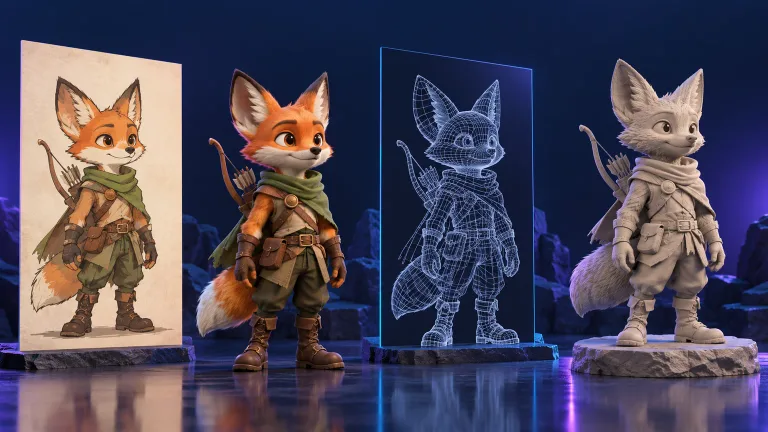
For example, imagine an original fox ranger for an adventure-game prototype. Text is enough to explore a fox with a scarf and boots. If you already have concept art and want the ears, scarf and tail to remain visually consistent, an image may communicate those relationships more directly. That is a choice about your brief, not a promise that one mode always produces better geometry.
Modzi3D has separate Text to 3D and Image to 3D pages. Review the current availability, settings and credit cost in the tool before starting. Product plans and model capabilities can change; this guide does not assign undocumented research-model features to Modzi3D.
A repeatable workflow for a text-generated asset
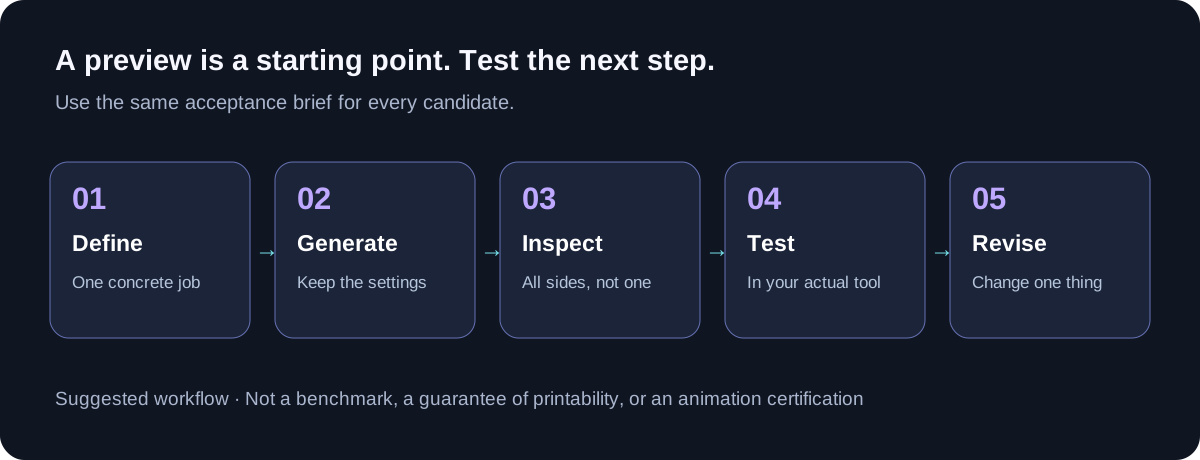
1. Give the prototype one job
Write a sentence that describes the decision the asset must support. “Check whether the ranger reads clearly beside a village doorway” is more useful than “make an amazing game character.” It gives you a camera distance, a scale reference and a reason to accept or reject the result.
A scene-blockout asset and a close-up character have different needs. The first might be valuable even with rough hands. The second may need carefully edited facial features, cleaner topology and a separate animation pipeline. Decide which problem you are solving before comparing attractive previews.
2. Write a brief with visible priorities
Describe one subject, then its important shapes, pose and material. Keep optional details separate. A practical starting prompt for the hypothetical ranger is:
Create an original stylized fox ranger, full body, standing upright in a relaxed neutral pose. Orange fur, cream chest, green scarf, simple brown belt and boots. Keep both hands visible and separated from the torso. Give the character a readable silhouette with no weapon covering the chest. One character only, with no scenery or text.
This prompt is a worked example, not a tested result or a guarantee. Its purpose is to make mistakes easier to diagnose. If the hands merge into the torso, you can identify a failed requirement. If the scarf is missing, you know which design feature needs another attempt or manual work.
3. Change one meaningful variable
Keep the original prompt and record the settings you actually used. On the next attempt, change a specific problem: a smaller scarf, a more open pose, or a clearer reference. Changing the subject, style, pose and detail settings simultaneously makes it harder to learn why the output changed.
Use a simple comparison note with four fields: intended use, successful features, failed requirements and next action. This creates a practical evaluation history without pretending that a few generations form a scientific benchmark. Avoid publishing speed or quality claims unless you measured them with a method readers can understand.
4. Inspect the entire object
Rotate the model before judging it. Check the back, underneath accessories, around the ears and between the limbs. Try to distinguish problems with the mesh from problems with lighting or textures. A painted shadow can look like a groove; a dark material can hide a surface defect.
If your viewer or editor provides a wireframe or untextured display, use it as an additional check. Then import the asset into the program where you intend to use it. A successful browser preview is helpful, but it is not a substitute for a successful downstream import.
Where TRELLIS.2, Hugging Face and the other tools fit
TRELLIS.2: a model family, not a generic promise of text generation
The rising query “trellis 2” points to a specific research project. Microsoft's official repository describes TRELLIS.2 as an image-to-3D model and documents generated geometry and PBR materials. Do not assume that every site mentioning TRELLIS uses the same version or exposes the same settings. Read Microsoft's repository.
If you encounter the shorter keyword “trellis,” check the publisher, version and supported input before choosing a workflow. A model name in an article is not evidence of a particular implementation in a commercial product. This article does not claim that Modzi3D runs TRELLIS.2.
Hugging Face: check the model card before the demo
Hugging Face is relevant because it hosts model pages and associated resources, including Microsoft's TRELLIS.2-4B model card. Use the card and linked documentation to check what a model expects and how it is intended to be run. A hosted demo, downloadable weights and a paid service are different ways of accessing technology. Inspect the official model card.
For your own decision, write down the practical costs of each access route: setup effort, the hardware available to you, output handling and the terms that apply. Avoid treating “available online” as a synonym for unlimited free generation or unrestricted commercial use.
Spline AI: consider the scene as well as the object
Spline's documentation describes AI 3D generation from text and images within its design workflow. It is relevant when the object is one part of an interactive scene rather than the final deliverable by itself. Check the current import, editing and export options against the destination you need. See Spline's generation documentation.
A useful evaluation is to place a candidate asset in a simple scene and judge it at the actual display size. Ask whether the silhouette remains readable, whether the visual style fits and whether the interaction still makes sense. Those questions can matter more than additional detail visible only in a close-up.
Mixamo: animation is a separate acceptance stage
Adobe documents an upload, rigging and animation workflow for characters in Mixamo. That does not mean any generated character will work without preparation. Follow the supported character requirements, then test your particular model and intended motion. Read Adobe's character workflow.
For the fox example, the first useful animation check would be a modest movement that reveals deformation around shoulders, hips and knees. Watch for collapsed surfaces, unexpected stretching or accessories moving incorrectly. If a problem appears, revise the mesh or rig rather than describing the asset as animation-ready because it accepted an upload.
Printables: distinguish finding a model from preparing a print
Printables is a platform for discovering downloadable 3D models. It belongs in this discussion because some people want a physical object rather than a game asset. Inspect the individual model page and its terms instead of assuming that all downloads have the same permission or printing requirements. Explore Printables.
A generated character needs its own print checks. Consider wall thickness, narrow joints, overhangs and how the object meets the build plate. Open the intended export in a slicer and examine the preview. Converting a file does not, by itself, verify those properties.
Choose an export and define a clear stopping point
Keep an untouched copy of the original download. Then choose the format required by the next application, and verify what survived the conversion. For an editable workflow, check both geometry and material handling. For printing, prioritize the mesh and the slicer's interpretation of it. Modzi3D provides dedicated GLB to OBJ and GLB to STL tools; review their current conditions before converting.
Scene blockout — Scale and silhouette at camera distance — The shape obscures navigation or reads incorrectly
Character animation — Rig compatibility and deformation — Limbs collapse or accessories distort
Interactive presentation — Actual scene loading and interaction — The asset prevents a usable experience
Physical print — Mesh and slicer preview — Fragile features or unsuitable geometry
These are suggested checks, not certification standards. Your project may need stricter requirements. For example, a background prop can tolerate limitations that would be unacceptable in an animated hero character. Record that distinction so a prototype does not accidentally become a final asset simply because it was available first.
When comparing an AI 3D model generator from text with an image-based workflow, use the same acceptance brief. Compare outputs at the same intended scale and in the same destination tool. If you want to compare time or cost, include inspection, unsuccessful attempts, conversion and cleanup—not just the generation progress indicator.
Common questions
Does text to 3D remove the need for modeling?
It can provide a starting asset for some tasks, but you should budget for inspection and possible editing. How much work remains depends on the specific result and what the project requires. A prototype that answers a layout question is not automatically a finished production model.
Is TRELLIS.2 a text-to-3D tool?
The official project documents image-to-3D generation. A service may build additional steps around a model, but verify those steps in that service's documentation. Do not infer supported inputs from a broad search label.
Can a generated character be animated immediately?
Sometimes the next stage is straightforward; sometimes it requires substantial preparation. Check the animation tool's supported inputs and test the mesh, rig and motion. An untested character should not be presented as guaranteed animation-ready.
Does a +300% trend mean a keyword will bring more visitors?
No. It describes relative growth in the selected Trends view, not a traffic forecast. Relevance, the underlying audience and how well the page answers the question still matter. Trends alone cannot establish conversion potential or a likely search position.
Use the trend as a starting question, then build a useful workflow
The seven related queries point to different jobs: generation, model discovery, scene design, animation and printing. The useful connection is the path an asset takes between them. Choose one purpose, describe it clearly, inspect the output and validate the next step before investing in extra detail.
If you want to try that process with your own idea, start with Modzi3D Text to 3D or bring a clear reference to Image to 3D. Check the current plans and trial terms first. The aim is a model that helps you make a concrete decision, not a preview that merely looks finished.
Research and image notes
The trend table was transcribed from Google Trends Explore on October 20, 2026, with Worldwide, Past 7 days, Web Search and All categories selected. Its seven entries came from the Rising related queries panel for “AI 3D model generator.” Results are sampled, can change, and should not be treated as absolute search volumes or a global top-seven ranking. Open the research view. The rolling view will show a different week in the future; keep the accompanying research snapshot for this article's original observation.
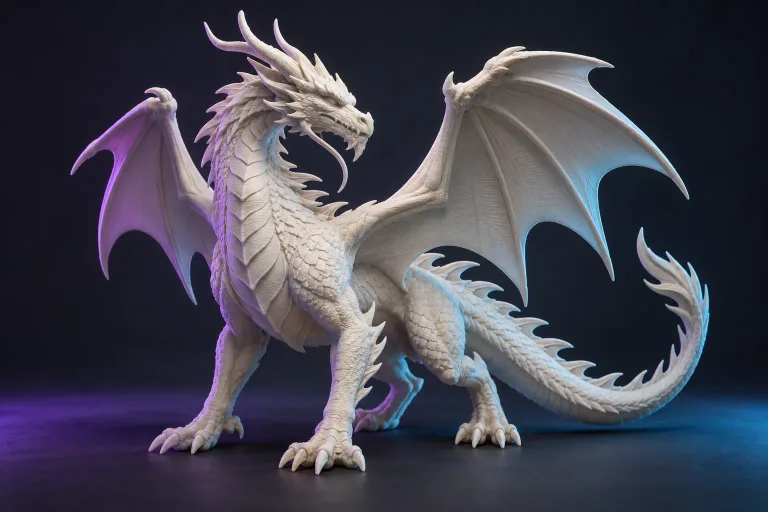
The fox is a hypothetical worked example. The hero image is AI-generated editorial art, and the workflow diagram is an original explanatory graphic. Neither represents a completed generation test or measured comparison. Draft prepared with AI assistance; no independent hands-on comparison of the named services is claimed.
Further reading
See Google's explanation of related searchesRead Microsoft's repositoryInspect the official model cardSee Spline's generation documentationRead Adobe's character workflowExplore PrintablesOpen the research viewGive your idea a starting point.
Create an account to generate from your reference, or explore the example gallery before you start.
Explore the studio